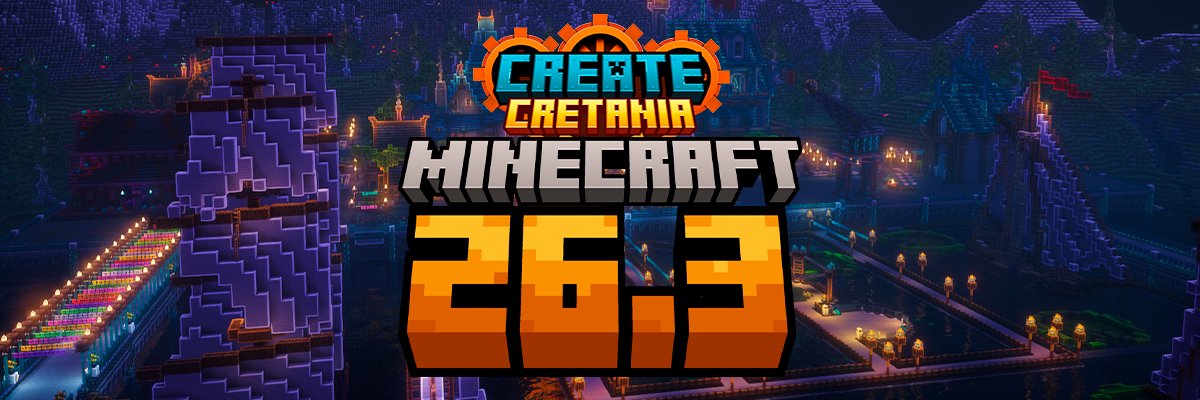
Cretania
Cretania is Create on Minecraft 26.3, rebuilt from the ground up on our own engine: dozens of Create addons, a real player economy with Ajolocoins, deep fishing with tournaments, hunting, living villages and voice chat. Not a modpack: no Forge, NeoForge or Fabric, it updates itself every time you press Play. Free to join on PC and mobile (Android and iPhone).
Why Cretania stands out
- ⚙️ Create and a huge set of addons, all in one — trains and railways, aircraft, airships and ships, big cannons, jetpacks, hypertubes, escalators and roller coasters, extra logistics and fluids, electricity and power grids, oil drilling and refining, nuclear power and hundreds of decorative blocks. Every machine comes with its Ponder scene so you can learn as you build.
- 💰 Real player economy — physical Ajolocoins (copper → netherite) you earn, carry in your wallet and trade with other players, plus server shops, player trading, quests and vote rewards.
- 🎣 Deep fishing — a fishing minigame where catch quality depends on your skill, fishing spots, nets and an angler's workshop, special rods and fishing tournaments with live leaderboards.
- 🦌 Hunting & wildlife — a bestiary of wild animals (deer, bears and more), rare meat with better effects, and hide curing that you can automate step by step with Create.
- 🏘️ Living villages that grow and produce over time, NPCs, missions and seasons that change the world.
- ⚔️ Dungeons, reworked combat and magic to explore beyond the factory floor.
- 🎙️ Built-in proximity voice chat, live web map, backpacks, graves that keep your items, races and minigames.
- 📱 Cross-platform: the same server on Windows, Mac, Linux, Android and iPhone, with touch controls on mobile.
- 🚀 Our own engine = performance: region multithreading and lean machines, so big factories don't kill the TPS.
Fresh world since October 5, 2026. Join us at mc.cretania.net — full guide at cretania.net/instalar.
Automatically translated
How to Join
🇬🇧 How to join (3 easy steps)
Cretania is not a modpack: you don't need Forge, NeoForge, Fabric or any mods. Our installer sets everything up for you (it even brings its own Java). Free to join.
Server address: mc.cretania.net (no port needed)
💻 PC (Windows, Mac, Linux)
- Download the installer for your system:
- Windows 10/11: Cretania-Instalador.exe
- Mac with Apple chip (M1 or newer): Cretania-Instalador.dmg
- Mac with Intel: Cretania-Instalador-Intel.dmg
- Linux (Ubuntu, Debian, Mint): .deb · (Fedora, openSUSE): .rpm
- Any system with Java: Cretania-Instalador.jar
- Open it, choose your launcher (official Minecraft Launcher, Prism, Modrinth, CurseForge…) and click Install.
- Play: open your launcher, pick the Cretania profile, press Play and join mc.cretania.net.
⚠️ Windows may show a warning ("Windows protected your PC" / unknown publisher). It is not a virus: it only appears because the installer isn't signed with a paid code-signing certificate — we're a community, not a company. Click More info → Run anyway. If you'd rather not, install Lucerion, our official launcher, from the Microsoft Store — verified by Microsoft, no warning — and it installs and opens Cretania for you.
✅ It updates itself every time you press Play. If the server moves to a new version, the game updates, restarts and tells you why — nothing to do on your side.
Prefer not to use a launcher? Lucerion, our official launcher, installs and opens Cretania for you (Microsoft Store and Linux) — see cretania.net/instalar.
📱 Mobile (beta)
- Android (Android 10+, 4 GB RAM): download the APK, open it and allow installing from your browser, tap "Check my phone" → "Install Cretania", then Play.
- iPhone (iOS 27+): installed through SideStore with a computer once. Step-by-step guide at cretania.net/instalar.
❓ Stuck? Full guide and FAQ at cretania.net/instalar or ask us on Discord.
Automatically translated
Mc.cretania.net
Frequently Asked Questions
How are servers ranked and sorted?
By default, servers are sorted by vote count. You can change the sort order with the filters in the sidebar:
- Votes: Servers with the most votes in the last 30 days appear first. Tied servers are ranked by online player count.
- Players: Servers with the most online players appear first.
- Newest: Most recently added servers appear first.
- Name: Alphabetical order.
How does voting work?
Voting uses the Votifier protocol to deliver your vote directly to the Minecraft server. When you vote:
- You enter your Minecraft username.
- We verify the username exists through the Mojang API.
- Your vote is sent to the server via Votifier (an encrypted network packet).
- The server receives the vote and can reward you in-game.
Each player can vote once per day per server. If the Votifier packet cannot be delivered (e.g. the server is offline), the vote is rejected.
Servers that have not configured Votifier will still appear in the directory but voting will be unavailable for them.
Vote counts use a rolling 30-day window. A vote stops counting 30 days after it was cast, so the ranking reflects recent activity rather than all-time totals.
What Votifier mods/plugins are available for my server?
To receive votes, your server needs a Votifier-compatible mod or plugin installed. Here are the actively maintained options:
Bukkit / Spigot / Paper
- NuVotifier. The most popular Votifier plugin. Also supports BungeeCord, Velocity, and Sponge. (GitHub)
- AzuVotifier. A modern NuVotifier fork with additional platform support including Fabric, Folia, and Sponge 11. (GitHub)
- VotifierPlus. An alternative with simpler setup. Supports BungeeCord and Velocity.
Fabric / Quilt
- NuVotifier-Fabric. NuVotifier implementation for Fabric. Actively maintained with broad version support. (GitHub)
- Votifier for Fabric. A Fabric/Quilt port with built-in command-based rewards. (CurseForge)
- AzuVotifier. Also supports Fabric 1.21.10+ (experimental).
NeoForge / Forge
- Votifier for NeoForge. A NeoForge port with built-in command-based rewards. (CurseForge)
After installing a Votifier mod, you will need to enter your server's Votifier host, port, and public key on the Edit Server page. If using NuVotifier v2, also enter the token for HMAC authentication.
How do you track server status and player counts?
We use the Minecraft Server List Ping (SLP) protocol to periodically check each server. This is the same protocol the Minecraft client uses when you add a server to your multiplayer list.
Each ping tells us:
- Whether the server is online or offline
- Current number of online players
- Maximum player capacity
We do not receive a list of individual player names from the ping, only the total count. This is a read-only, non-intrusive check that requires no mods or plugins on the server.
To validate individual players (e.g. when voting), we use the Votifier protocol instead. See the voting FAQ below for details.
How do I add my server?
Adding your server is free and straightforward:
- Go to the Add Your Server page.
- Fill in your server name, description, address, and other details.
- Create an account (or log in if you already have one) so you can manage your listing later.
- Optionally configure Votifier so players can vote for your server.
- Submit for review. All listings are reviewed before being published.
Once approved, your server will appear in the directory and players can find it through search and filters. You can edit your listing at any time from your account.