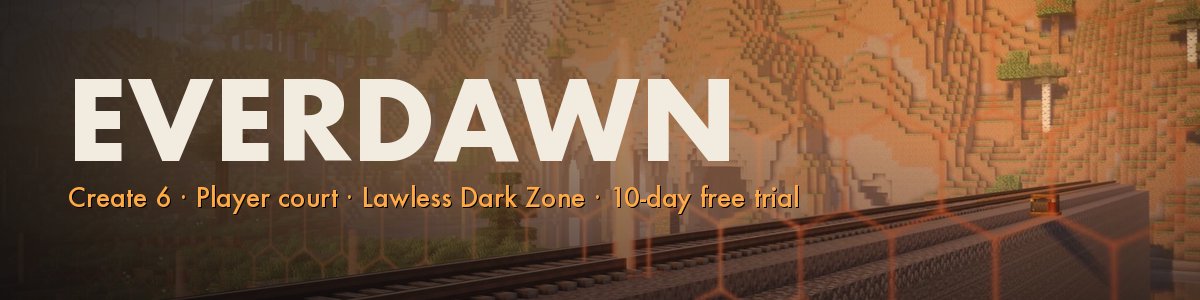

Everdawn
Paid access: $5/month, the same for everyone, with a 10-day free trial. No ranks, no kits, nothing that buys power.
Everdawn is a Create 6 server on Minecraft 1.21.1 (NeoForge) with our own mods and our own world generation. One world, never wiped.
The Safe Zone. Build Create industry, claim land, close your borders, sign contracts and trade on a real order-book market. Coin is minted only from metal you mine. Disputes go to a player court with judges the server elects. The code never stops a theft - it records it, and a complaint can rest on the record.
The Dark Zone. Past Wall Sina the air is poison. A room is safe only while a Create-powered scrubber can prove it is sealed - it flood-fills from the machine and burns filters while it runs. Oil comes only from a dozen seeps held by crews, and goes home by diesel train. Seven layers, each harder than the last, with rifts, warlords and bounty hunters.
English and Ukrainian. Voice chat built in. Live map: https://map.everdawn.net
How to Join
- Install the "Everdawn" modpack from the CurseForge app (NeoForge 1.21.1, about 190 mods; give the game 6-8 GB of memory; a 16 GB computer is recommended). The server is already in its multiplayer list.
- Start your 10-day free trial at https://everdawn.net with your Minecraft username - you are whitelisted automatically.
- Launch the pack and join play.everdawn.net. Need help? Join our Discord: https://discord.gg/PNyaKe5VNp
play.everdawn.net
Modpack Downloads
Frequently Asked Questions
How are servers ranked and sorted?
By default, servers are sorted by vote count. You can change the sort order with the filters in the sidebar:
- Votes: Servers with the most votes in the last 30 days appear first. Tied servers are ranked by online player count.
- Players: Servers with the most online players appear first.
- Newest: Most recently added servers appear first.
- Name: Alphabetical order.
How does voting work?
Voting uses the Votifier protocol to deliver your vote directly to the Minecraft server. When you vote:
- You enter your Minecraft username.
- We verify the username exists through the Mojang API.
- Your vote is sent to the server via Votifier (an encrypted network packet).
- The server receives the vote and can reward you in-game.
Each player can vote once per day per server. If the Votifier packet cannot be delivered (e.g. the server is offline), the vote is rejected.
Servers that have not configured Votifier will still appear in the directory but voting will be unavailable for them.
Vote counts use a rolling 30-day window. A vote stops counting 30 days after it was cast, so the ranking reflects recent activity rather than all-time totals.
What Votifier mods/plugins are available for my server?
To receive votes, your server needs a Votifier-compatible mod or plugin installed. Here are the actively maintained options:
Bukkit / Spigot / Paper
- NuVotifier. The most popular Votifier plugin. Also supports BungeeCord, Velocity, and Sponge. (GitHub)
- AzuVotifier. A modern NuVotifier fork with additional platform support including Fabric, Folia, and Sponge 11. (GitHub)
- VotifierPlus. An alternative with simpler setup. Supports BungeeCord and Velocity.
Fabric / Quilt
- NuVotifier-Fabric. NuVotifier implementation for Fabric. Actively maintained with broad version support. (GitHub)
- Votifier for Fabric. A Fabric/Quilt port with built-in command-based rewards. (CurseForge)
- AzuVotifier. Also supports Fabric 1.21.10+ (experimental).
NeoForge / Forge
- Votifier for NeoForge. A NeoForge port with built-in command-based rewards. (CurseForge)
After installing a Votifier mod, you will need to enter your server's Votifier host, port, and public key on the Edit Server page. If using NuVotifier v2, also enter the token for HMAC authentication.
How do you track server status and player counts?
We use the Minecraft Server List Ping (SLP) protocol to periodically check each server. This is the same protocol the Minecraft client uses when you add a server to your multiplayer list.
Each ping tells us:
- Whether the server is online or offline
- Current number of online players
- Maximum player capacity
We do not receive a list of individual player names from the ping, only the total count. This is a read-only, non-intrusive check that requires no mods or plugins on the server.
To validate individual players (e.g. when voting), we use the Votifier protocol instead. See the voting FAQ below for details.
How do I add my server?
Adding your server is free and straightforward:
- Go to the Add Your Server page.
- Fill in your server name, description, address, and other details.
- Create an account (or log in if you already have one) so you can manage your listing later.
- Optionally configure Votifier so players can vote for your server.
- Submit for review. All listings are reviewed before being published.
Once approved, your server will appear in the directory and players can find it through search and filters. You can edit your listing at any time from your account.